Horus Signals View v1.0.3 · Windows
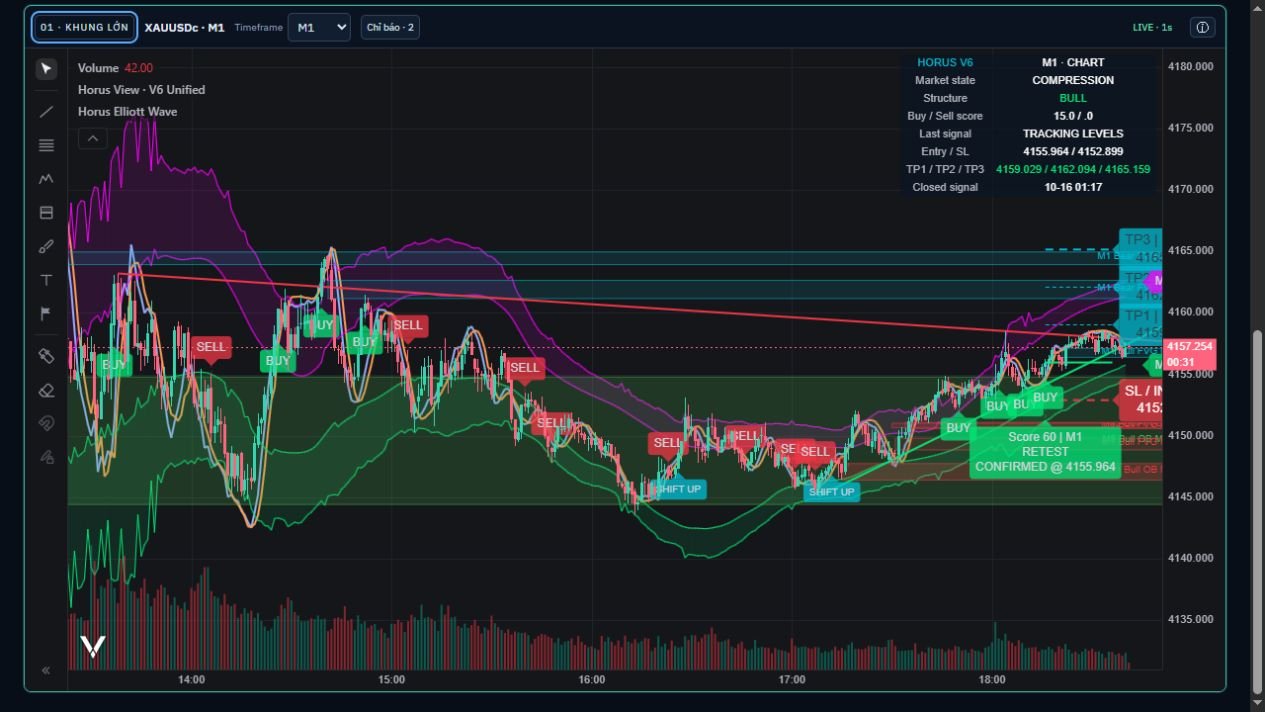
Ứng dụng độc lập hỗ trợ giao dịch tay, giao diện tiếng Việt / English. Hai biểu đồ riêng, mặc định M1 và M15, nguồn dữ liệu và tài khoản giao dịch chọn độc lập. V6 hiển thị cấu trúc, Order Blocks, FVG, Adaptive K/D; có tùy chọn hai khung lớn hơn, EMA, MA, Bollinger, RSI và Stochastic.
AI local/Cloud theo yêu cầu, hiển thị model đang dùng; lịch sử phân tích và chat được lưu mã hóa trên máy, có xem lại và xóa. Tin local mặc định được bổ sung bằng keywords; các mục thị trường, USD, Polymarket, COT và tin kinh tế thể hiện dữ liệu sẵn có, không tự điền nguồn thiếu.
Giao dịch và quyền sử dụng
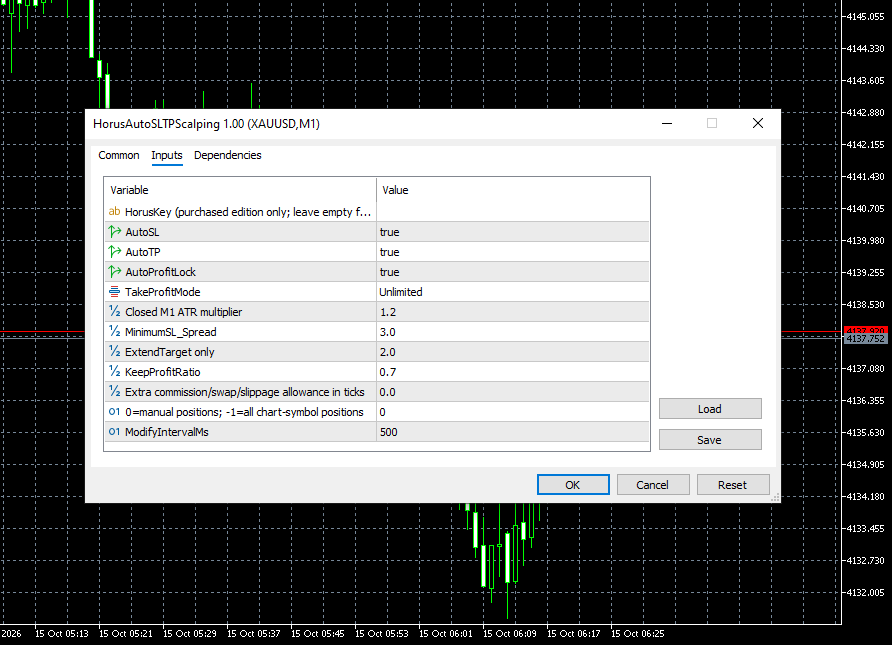
299 USD/năm hoặc 29,99 USD/tháng cho 2 máy. Free IB khi tài khoản HorusSignals đủ điều kiện được xác minh; phí API Cloud AI tính riêng. MT5 native có popup đặt lệnh và quản lý Market/Limit/Stop theo nhóm, SL/TP, đóng lãi/lỗ và đóng nửa khối lượng. Auto SL/TP/khóa lãi cần bật cho lệnh của View; không có bot tự vào lệnh. MT4/cTrader bridge và tài khoản cloud hiện không có chức năng đặt lệnh; không quảng bá các kết nối đó là đã hoàn thiện.
Bản đầu tiên v1.0.1; bản sửa hiện tại v1.0.3. V6 tính lại từ ngữ cảnh mới sau mỗi nến đóng; giá và nến vẫn cập nhật mỗi giây. Chưa chứng nhận khớp lệnh thật trên mọi broker, hiệu quả giao dịch hoặc độ tương đương toàn bộ MT5/TradingView. Có Horus Elliott Wave và Horus Stochastic Overlay do Horus viết mới, thay các script phi thương mại. Không kèm các script chưa rõ quyền phân phối thương mại. Các lớp V6 và chỉ báo chuẩn vẫn có sẵn.
Cài đặt và cập nhật
Windows 10/11 x64. Giải nén gói Setup, chạy bộ cài, mở Open View; dùng địa chỉ http://127.0.0.1:8876/. Giữ ứng dụng, terminal và kết nối hoạt động khi quản lý lệnh. Để cập nhật: bấm Cập nhật trong app, Kiểm tra cập nhật, xem ghi chú rồi Cập nhật ngay. App xác minh chữ ký/SHA256, giữ data và tự quay về bản cũ nếu khởi động lỗi; cần đóng lệnh View và xử lý thao tác chưa rõ kết quả trước. Bộ cài vào cùng thư mục là phương án dự phòng. Không xóa data hoặc gỡ bản cũ trước khi cài đè. Bản cập nhật lớn tăng version; bản đầu giữ v1.0.1. Kiểm tra SHA256 và chữ ký manifest công bố; chưa có chữ ký Windows Authenticode.
Nguồn dữ liệu, trách nhiệm & miễn trách nhiệm
Horus lựa chọn và cung cấp kết nối dữ liệu trong Horus Signals AI Bots và Horus Signals View; chịu trách nhiệm kỹ thuật về lựa chọn nguồn, tích hợp, kiểm tra, xử lý, lưu trữ và hiển thị dữ liệu theo chức năng đã công bố. Giá gốc do broker, sàn hoặc provider bên thứ ba cung cấp. Dữ liệu có thể chậm, thiếu, lỗi hoặc khác nhau giữa các nguồn; Horus không bảo đảm giá gốc luôn chính xác, đầy đủ hoặc liên tục. Cần kiểm tra nguồn, thời điểm cập nhật và giá thực thi tại tài khoản giao dịch.
Phân tích AI và gợi ý lệnh có thể sai, thiếu thông tin hoặc lỗi thời; không phải tư vấn đầu tư cá nhân và không bảo đảm lợi nhuận. Kiểm tra nguồn, thời điểm, giá broker và rủi ro trước khi quyết định. Khi yêu cầu Cloud AI, dữ liệu thị trường và nội dung câu hỏi được gửi đến nhà cung cấp đã chọn, có thể phát sinh phí API; không nhập bí mật hoặc thông tin tài khoản vào câu hỏi.
Bot, chỉ báo, tín hiệu, gợi ý lệnh, auto TP/SL và khóa lãi là công cụ phần mềm, không phải cam kết lợi nhuận hoặc tư vấn đầu tư cá nhân. Gợi ý không đồng nghĩa lệnh đã gửi hay đã khớp; giá biểu đồ có thể khác Bid/Ask và giá khớp thực tế. Trượt giá, spread, phí, thanh khoản, lỗi kết nối và broker có thể làm lệnh/bảo vệ không thực hiện như dự kiến. Người dùng quyết định bật tự động, chọn tài khoản, khối lượng và mức rủi ro; giao dịch có thể mất một phần hoặc toàn bộ vốn.
Người dùng chọn nguồn dữ liệu và tài khoản giao dịch riêng biệt. Chỉ cấp quyền đọc dữ liệu, đặt lệnh hoặc quản lý lệnh theo nhu cầu, đúng tài khoản và điều kiện của broker/provider. View chỉ gửi lệnh sau xác nhận đặt lệnh thật; Auto SL, Auto TP và khóa lãi chỉ áp dụng khi được bật cho lệnh của View. Các chức năng quản lý cần View, terminal, kết nối và quyền sử dụng còn hiệu lực; không bảo đảm SL/TP hoặc khóa lãi thực hiện được ở mọi điều kiện thị trường.
Trong phạm vi pháp luật cho phép, Horus không bảo đảm hoặc chịu trách nhiệm về lợi nhuận, tổn thất phát sinh từ quyết định giao dịch của người dùng, hoặc sự cố nằm ngoài khả năng kiểm soát hợp lý của Horus. Thông báo này không miễn trừ trách nhiệm kỹ thuật nêu trên hoặc bất kỳ trách nhiệm, quyền và nghĩa vụ bắt buộc nào theo pháp luật.
HORUS SIGNALS / SHOP
Sản phẩm liên quanRelated products

Horus Signals View v1.0.3 · Windows
An independent manual trading workspace with English/Vietnamese interface. Two charts default to M1/M15; select the market-data source separately from the execution account. V6 displays structure, Order Blocks, FVG and Adaptive K/D, with two optional higher frames plus EMA, MA, Bollinger, RSI and Stochastic controls.
On-demand local/Cloud AI shows the selected model. Analysis and chat history are encrypted on your PC, with reopen/delete controls. Default local news runs without keywords; keywords add stories. Market, USD, Polymarket, COT and economic-news panels expose available evidence and explicitly identify missing sources.
Trading and access
USD299/year or USD29.99/month for two computers. Free IB for eligible verified HorusSignals accounts; Cloud AI API charges are separate. Native MT5 includes manual entry and grouped Market/Limit/Stop management, SL/TP modification, profit/loss closing and half-volume closing. Auto SL/TP/profit locking is opt-in for View orders. No bot entry engine. MT4/cTrader bridges and cloud accounts currently have no execution routes and are not advertised as complete execution connectors.
First release v1.0.1; current patch v1.0.3. V6 recomputes a fresh context after each closed candle; price and candles still update every second. Live execution across all brokers, trading performance and full MT5/TradingView parity are not certified. Original Horus Elliott Wave and Horus Stochastic Overlay replace the non-commercial scripts. Sources without commercial distribution clearance are excluded. V6 and conventional indicator layers remain available.
Install and update
Windows10/11 x64. Extract the Setup archive, run the installer, launch Open View and visit http://127.0.0.1:8876/. Keep View, the terminal and connectivity running for local management. To update, open Updates, Check for updates, review the notes and select Update now. The app verifies the signature/SHA256, preserves data and rolls back if startup fails. Close View orders and resolve unknown actions first. Installing the new Setup into the same directory is the fallback. Do not remove data or uninstall first. Major changes increase the version; the first release remains1.0.1. Verify the published SHA256 and manifest signature. Windows Authenticode is not configured.
Data sources, responsibility & disclaimer
Horus selects and provides data connections in Horus Signals AI Bots and Horus Signals View and is technically responsible for source selection, integration, validation, processing, storage and display within the published functionality. Original prices come from third-party brokers, exchanges or providers. Data may be delayed, missing, erroneous or different across sources; Horus does not guarantee that original prices are always accurate, complete or continuously available. Check the source, update time and executable prices in your trading account.
AI analyses and suggested orders may be incorrect, incomplete or outdated; they are not personalized investment advice or a profit guarantee. Verify sources, timestamps, broker prices and risk before deciding. Requesting Cloud AI sends market data and your question to the selected provider and may incur API fees; do not enter secrets or account information in questions.
Bots, indicators, signals, suggested orders, auto TP/SL and profit locking are software tools, not a promise of profit or personalized investment advice. A suggestion does not mean an order was submitted or filled; chart prices may differ from Bid/Ask and actual fills. Slippage, spreads, fees, liquidity, connectivity and broker issues may prevent orders or protections from working as expected. Users decide whether to enable automation and select the account, size and risk limits; trading may result in partial or total loss of capital.
Users select market-data sources and trading accounts separately. Grant data-reading, order-placement or order-management rights only as needed, for the correct account and subject to broker/provider terms. View submits an order only after explicit live-order confirmation; Auto SL, Auto TP and profit locking apply only when enabled for View orders. Management requires View, the terminal, connectivity and valid access; SL/TP and profit locking are not guaranteed to execute under every market condition.
To the extent permitted by applicable law, Horus does not guarantee or accept liability for profits, losses resulting from users’ trading decisions, or events beyond Horus’s reasonable control. This notice does not exclude the technical responsibilities above or any mandatory legal responsibilities, rights or obligations.
HORUS SIGNALS / SHOP
Sản phẩm liên quanRelated products