
HƯỚNG DẪN TÀI KHOẢN · Cập nhật nguồn 26/09/2026 · Có hỗ trợ AI
Nếu bạn đang tìm hiểu Exness để giao dịch thủ công hoặc sử dụng công cụ trên MetaTrader, hãy bắt đầu từ ba câu hỏi: tài khoản tính phí thế nào, nền tảng có phù hợp không và cần hoàn tất những bước nào trước khi sử dụng? Bài viết này giúp bạn đi qua từng phần một cách có hệ thống.
Đồng hành cùng HorusSignals: Đăng ký qua liên kết trong bài để được hướng dẫn kết nối tài khoản và xét duyệt quyền lợi hỗ trợ dành cho thành viên. Quyền lợi áp dụng theo điều kiện chương trình sau khi xác minh tài khoản thuộc IB HorusSignals. Xem quyền lợi và điều kiện · Thông tin liên kết đối tác.
Đăng ký Exness qua HorusSignals →
1. Exness cung cấp dịch vụ gì?
Exness cung cấp giao dịch các sản phẩm phái sinh, bao gồm CFD trên nhiều nhóm thị trường. Bạn cần phân biệt giao dịch biến động giá với việc sở hữu tài sản cơ sở. Đòn bẩy làm tăng mức độ tiếp xúc thị trường và đồng thời khuếch đại rủi ro.
Điều kiện tài khoản phụ thuộc quốc gia cư trú và pháp nhân phục vụ. Trước khi chấp thuận mở tài khoản, đọc tên công ty trong hợp đồng và tài liệu pháp lý của Exness. Không mặc định giấy phép hoặc quyền bảo vệ của một công ty trong nhóm áp dụng cho mọi khách hàng.
2. Phân biệt các tài khoản phổ biến
- Standard: cấu trúc không thu commission giao dịch, phù hợp để tìm hiểu cách spread ảnh hưởng đến chi phí.
- Pro: tài khoản chuyên nghiệp không thu commission; cần kiểm tra điều kiện khớp lệnh cho từng sản phẩm.
- Raw Spread: kết hợp spread với commission; nên tính tổng chi phí cho khối lượng dự kiến.
- Zero: điều kiện spread và commission phụ thuộc sản phẩm. Tên “Zero” không có nghĩa mọi lệnh đều miễn phí.
So sánh chi tiết tại trang Standard và tài khoản chuyên nghiệp. Mức nạp tối thiểu, sản phẩm khả dụng và yêu cầu tài khoản cần được xác nhận trong Khu vực Cá nhân của bạn.
3. Chọn đúng nền tảng trước khi cài công cụ
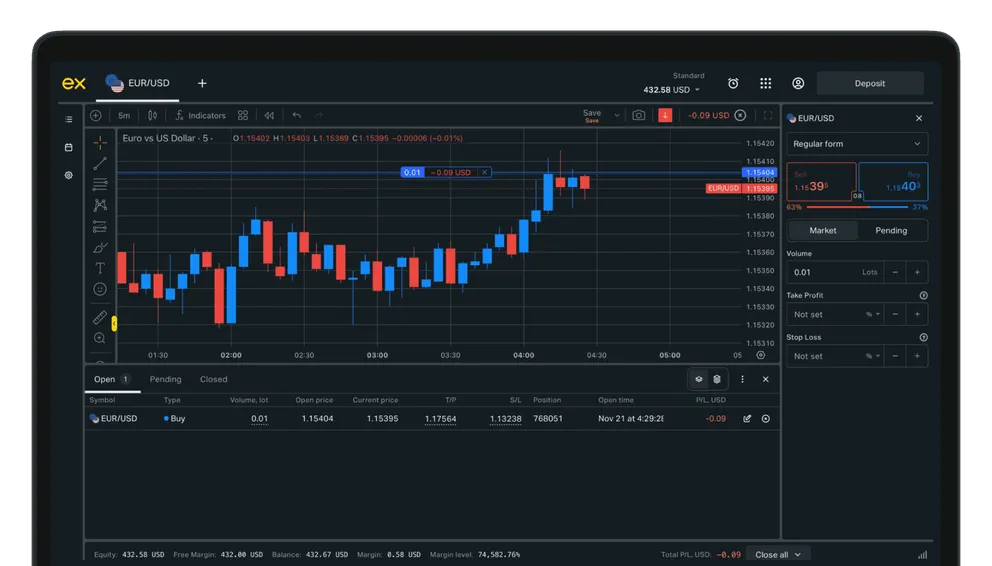
Exness giới thiệu MT4, MT5, Exness Trade và Exness Terminal. Hình trên minh họa Exness Terminal; đây không phải màn hình MT5. Khi dùng EA hoặc indicator, cần chọn nền tảng đúng với phiên bản phần mềm của bạn.
Nếu dùng công cụ MT5 của HorusSignals: xác nhận tài khoản tương thích MT5, cài nền tảng từ nguồn chính thức và kiểm tra đúng máy chủ đăng nhập. Không dùng tên đăng nhập website thay cho số tài khoản giao dịch. Xem trang MT5 chính thức của Exness để tìm hiểu nền tảng.
Lợi ích sử dụng và điểm cần cân nhắc
Exness có nhiều cách tổ chức tài khoản và nền tảng. Với người dùng công cụ giao dịch, giá trị thực tế nằm ở khả năng chọn môi trường phù hợp, kiểm tra chi phí và theo dõi lịch sử lệnh. Một cấu hình phù hợp sẽ giúp vận hành thuận tiện hơn nhưng không làm mất rủi ro thị trường.
- MT4/MT5 cho công cụ tùy chỉnh: phù hợp với EA và indicator tương thích; cần chọn đúng loại nền tảng ngay khi tạo tài khoản.
- Demo để thử quy trình: làm quen trước khi dùng vốn thật; Exness công bố demo cho các loại tài khoản, ngoại trừ Standard Cent.
- Nhiều tiền tệ tài khoản: có thể giảm nhu cầu quy đổi không cần thiết nếu chọn phù hợp; chi phí quy đổi vẫn có thể phát sinh.
Lưu ý mới về nền tảng: tài khoản tạo với loại nền tảng “Exness” chỉ dùng với Exness Terminal/Exness Trade, không đăng nhập MetaTrader và không chạy EA. Người dùng HorusSignals cần tài khoản MT4 hoặc MT5 đúng phiên bản công cụ. Nguồn: tài khoản nền tảng Exness và tài khoản thật/demo.
Standard Cent và những khác biệt quan trọng
Ngoài bốn loại ở trên, Exness có Standard Cent tại khu vực được hỗ trợ. Số dư thể hiện theo cent và khối lượng dùng cent lot; ví dụ 5 USD có thể hiển thị 500 USC. Không được sao chép nguyên cài đặt lot từ tài khoản Standard sang Cent mà chưa kiểm tra đơn vị.
Trang hỗ trợ hiện liệt kê MT4 và MT5 cho Standard Cent, cùng ngoại hối, vàng và bạc; BTCUSDc/ETHUSDc chỉ trên MT5 và còn phụ thuộc pháp nhân. Danh mục Cent hẹp hơn tài khoản tiêu chuẩn. Xem thông số Standard Cent.
Nhóm tài sản và cách kiểm tra sản phẩm
- Ngoại hối: các cặp tiền chính, phụ và ngoại lai; mã có thể có hậu tố theo tài khoản.
- Kim loại: vàng và bạc; kiểm tra đơn vị hợp đồng trước khi tính giá trị mỗi biến động giá.
- Năng lượng: dầu và khí tự nhiên; chú ý phiên giao dịch và điều kiện phí riêng.
- Chỉ số: CFD theo thị trường cổ phiếu, với lịch giao dịch riêng.
- Cổ phiếu: CFD trên từng doanh nghiệp; một số mã chỉ có trên MT5 và không có trên Standard Cent.
- Tiền mã hóa: CFD như Bitcoin/Ethereum ở tài khoản đủ điều kiện; không đồng nghĩa sở hữu coin để rút về ví.
Ví dụ hậu tố có thể gặp: Standard có EURUSDm, Standard Cent có EURUSDc; Pro và Raw Spread có cách đặt tên khác. Hãy tra mã ngay trong nền tảng. Nguồn: bảng mã theo tài khoản và điều kiện cổ phiếu.
Các quốc gia và khu vực đăng ký
Quốc gia được phục vụ và điều kiện mở tài khoản có thể thay đổi. Chọn đúng nơi cư trú trong form chính thức, đọc tên pháp nhân ký hợp đồng và tài liệu pháp lý hiển thị cho hồ sơ của bạn. Ngôn ngữ tiếng Việt hoặc sự xuất hiện của một loại tiền tệ không xác nhận quyền đăng ký. Nếu thông tin không rõ, hỏi bộ phận hỗ trợ broker trước khi nộp giấy tờ hoặc tiền.
Ghi lại tên pháp nhân, nền tảng, loại tài khoản, đơn vị khối lượng và biểu phí. Quyền mở tài khoản, quyền tham gia khuyến mãi và việc ghi nhận IB là ba điều kiện riêng; một liên kết giới thiệu không thay thế bất kỳ bước xác minh nào.
4. Hướng dẫn đăng ký và chuẩn bị tài khoản
- Truy cập liên kết Exness trong bài: mở luồng đăng ký qua HorusSignals và kiểm tra trang đích trước khi nhập thông tin.
- Khai báo hồ sơ chính xác: sử dụng quốc gia cư trú thực tế, email bạn kiểm soát và mật khẩu riêng.
- Hoàn tất các bước xác minh được yêu cầu: làm theo hướng dẫn trong Khu vực Cá nhân. Chỉ tải giấy tờ lên kênh chính thức của Exness; không gửi mật khẩu hoặc mã OTP cho người giới thiệu.
- Tạo tài khoản giao dịch phù hợp: kiểm tra loại tài khoản, nền tảng, tiền tệ và điều kiện trước khi xác nhận. Lưu đúng số tài khoản và máy chủ.
- Kiểm tra bằng demo: làm quen cách đặt lệnh, khối lượng và đóng vị thế trước khi quyết định sử dụng tiền thật.
Tên menu và thứ tự thao tác có thể thay đổi. Thông tin hiển thị trong tài khoản của bạn được ưu tiên hơn ảnh minh họa hoặc hướng dẫn cũ.
5. Checklist dành cho EA và indicator
- Xác nhận phần mềm dành cho MT4 hay MT5 và đọc hướng dẫn cài đặt của chính sản phẩm.
- Đối chiếu tên symbol, hậu tố, kích thước hợp đồng và khối lượng tối thiểu trên tài khoản.
- Chạy thử cấu hình trên demo; đọc nhật ký lỗi thay vì chỉ nhìn biểu đồ.
- Đánh giá spread, commission, swap và mức trượt giá có thể xảy ra trong điều kiện thị trường khác nhau.
- Thiết lập giới hạn rủi ro trước khi kích hoạt giao dịch tự động. Backtest không bảo đảm hiệu quả tương lai.
6. Câu hỏi thường gặp
Đăng ký qua link có tự động được xác minh IB trên HorusSignals không?
Liên kết giới thiệu và bước xác minh quyền truy cập HorusSignals là hai việc khác nhau. Hãy kiểm tra việc ghi nhận đối tác với Exness và thực hiện quy trình xác minh tài khoản giao dịch trên HorusSignals khi được yêu cầu.
Nên chọn tài khoản có spread thấp nhất?
Không nên chỉ so sánh spread. Hãy tính tổng chi phí theo sản phẩm, khối lượng và thời gian giữ lệnh của bạn; đồng thời kiểm tra cách khớp lệnh và mức ký quỹ.
Có được bảo đảm ưu đãi hoặc lợi nhuận không?
Không. Bài viết không cam kết thưởng, hoàn phí hoặc hiệu suất giao dịch. Mọi chương trình riêng phải có điều khoản được xác nhận bởi bên cung cấp.
Cảnh báo rủi ro: Giao dịch phái sinh có đòn bẩy có thể dẫn đến mất toàn bộ vốn trong tài khoản. Chỉ cân nhắc giao dịch khi hiểu sản phẩm và có khả năng chịu lỗ; tìm tư vấn độc lập khi cần.
Kết nối với báo cáo HorusSignals
Tài khoản broker và tài khoản website là hai tài khoản riêng. Đăng ký qua liên kết HorusSignals rồi gửi tên broker và số MT4/MT5 trong mục xác minh IB. Không gửi mật khẩu giao dịch. Quyền IB Partner chỉ được kích hoạt sau khi quan hệ liên kết được xác nhận; đăng ký xong không tự chứng minh trạng thái đã duyệt.
Khi báo cáo không khớp biểu đồ, kiểm tra lần lượt hậu tố mã, server broker, khung nến và giờ dữ liệu. Chụp phần sai lệch, che thông tin riêng tư rồi gửi đường dẫn báo cáo qua Liên hệ. Kho EA/Indicator trên website đang được cập nhật; bài này không hứa có tệp tải xuống. Xem hướng dẫn đọc báo cáo để hiểu FOMO, Buy/Sell và vùng FVG.
HORUS SIGNALS / SHOP
Sản phẩm liên quanRelated products
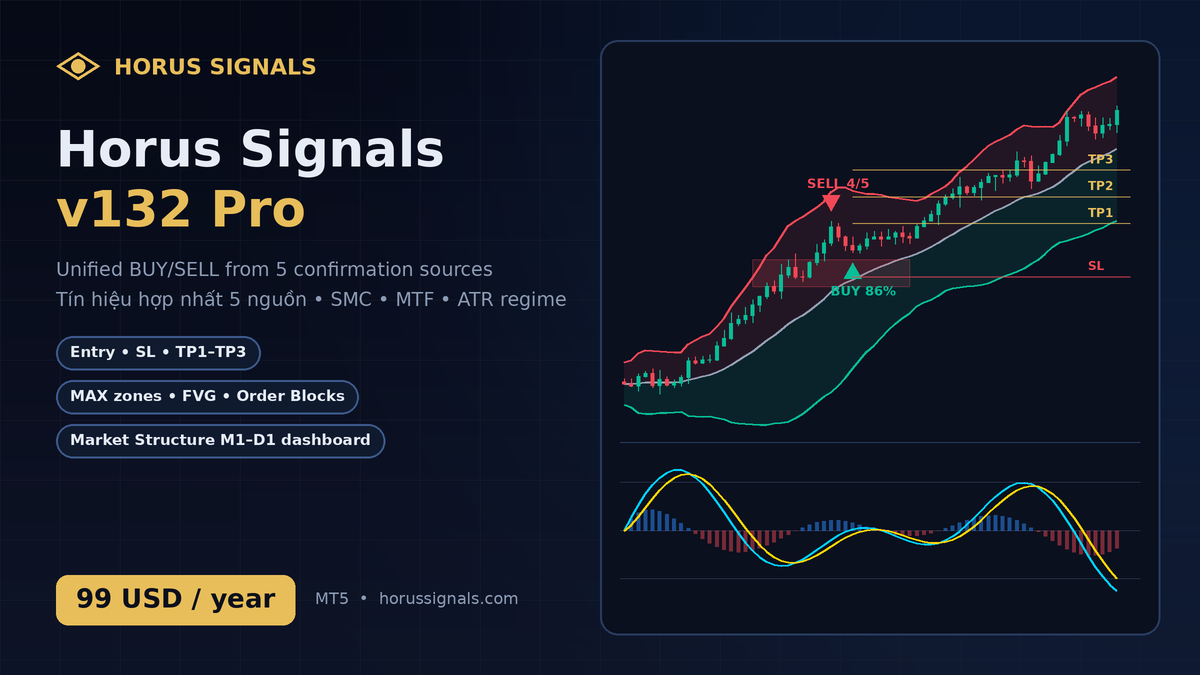
Horus Signals v132 – Unified Multi-Source Signals for MT5
$99.00
Xem chi tiếtView details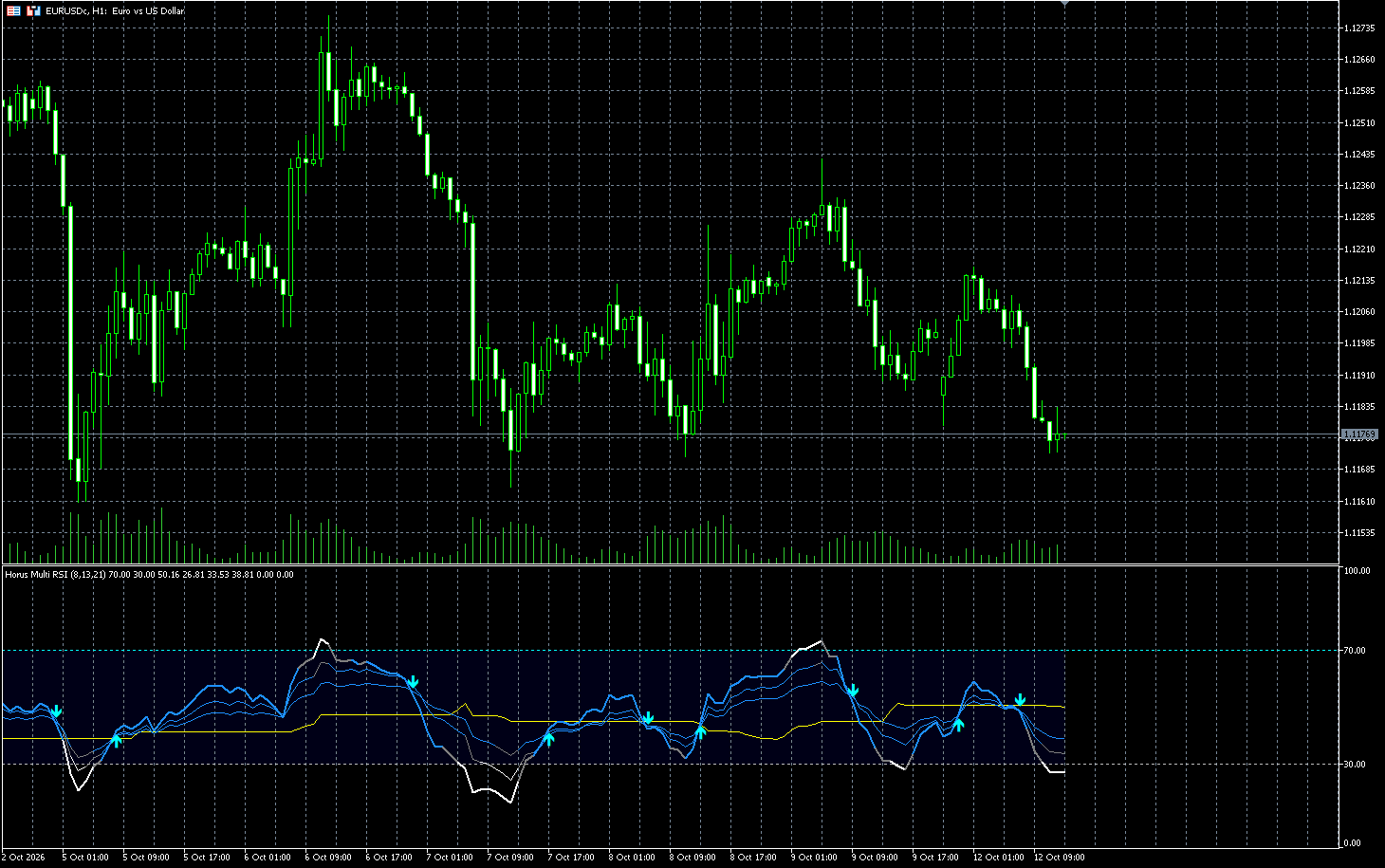
Horus Multi RSI – Triple Smoothed RSI for MT5
$9.90
Xem chi tiếtView details
ACCOUNT GUIDE · Sources updated 26 September 2026 · AI-assisted
If you are considering Exness for manual trading or MetaTrader tools, start with three questions: how does the account charge you, does the platform support your workflow, and what needs to be completed before use? This guide takes you through those decisions in a practical order.
Get support from HorusSignals: Register through the links in this guide for help connecting your account and eligibility review for member support benefits. Benefits are subject to programme terms and verification that your trading account is under the HorusSignals IB. Benefits and eligibility · Partner link disclosure.
Register with Exness through HorusSignals →
1. What does Exness offer?
Exness provides derivative trading services, including CFDs across several market groups. Trading price movements is different from owning an underlying asset. Leverage increases market exposure and also magnifies risk.
Account conditions depend on your country of residence and servicing entity. Read the company name in your agreement and the Exness legal documents. Do not assume that one group company’s licence or client protections apply to every customer.
2. Understand the main account options
- Standard: no trading commission; a starting point for understanding spread-based costs.
- Pro: a professional account without trading commission; check execution conditions for each instrument.
- Raw Spread: spreads plus commission; calculate the combined cost for your intended volume.
- Zero: spreads and commission depend on the instrument. The name does not mean every trade is free.
Review the official Standard and professional account pages. Confirm deposit requirements, availability and account conditions in your own Personal Area.
3. Choose the platform before installing tools
Exness lists MT4, MT5, Exness Trade and Exness Terminal. The image shows Exness Terminal, not MT5. EAs and custom indicators require the platform version for which they were developed.
Using a HorusSignals MT5 tool? Confirm that the trading account supports MT5, install the platform from an official source and select the correct login server. Your website login is not a substitute for your trading account number. See Exness’s official MT5 page.
Practical benefits and trade-offs
Exness provides several account and platform structures. For trading-tool users, the practical value is choosing a compatible environment, reviewing costs and monitoring order history. A suitable setup can improve the workflow, but it does not remove market risk.
- MT4/MT5 support: use compatible EAs and custom indicators after selecting the correct platform.
- Demo practice: Exness lists demo availability across account types except Standard Cent.
- Account currencies: choosing an appropriate base currency can reduce unnecessary conversions, although conversion costs may still arise.
Platform distinction: accounts created with “Exness” as the platform work only with Exness Terminal/Exness Trade. They cannot log into MetaTrader or run EAs. HorusSignals tools require the compatible MT4 or MT5 account. Sources: Exness platform accounts and real/demo accounts.
Standard Cent: a different unit of measurement
Alongside the four types above, Standard Cent is offered in supported regions. Balances are displayed in cents and volume uses cent lots: for example, USD 5 may appear as USC 500. Do not copy Standard-account lot settings to Cent without checking the units.
The current help page lists MT4 and MT5, forex, gold and silver; BTCUSDc/ETHUSDc require MT5 and remain subject to entity restrictions. Cent has a narrower instrument range. See Standard Cent specifications.
Asset groups and instrument checks
- Forex: major, minor and exotic pairs with account-specific symbols.
- Metals: gold and silver; check contract units before calculating exposure.
- Energy: oil and natural gas, with their own sessions and charges.
- Indices: stock-market index CFDs with individual trading schedules.
- Stocks: company share CFDs; some symbols require MT5 and stocks are unavailable on Standard Cent.
- Cryptocurrency: Bitcoin/Ethereum CFDs on eligible accounts, not coins withdrawable to a wallet.
Symbol examples include EURUSDm on Standard and EURUSDc on Standard Cent. Verify the actual symbol in your terminal. Sources: account suffixes and stock conditions.
Countries and regional eligibility
Served countries and onboarding conditions can change. Select your actual residence in the official form, read the contracting company name and the legal documents shown for your application. A translated page or listed currency does not confirm eligibility. Ask broker support before submitting documents or funds if anything is unclear.
Record the entity, platform, account type, volume units and fee schedule. Account eligibility, promotional eligibility and IB attribution are separate conditions; a referral link does not replace verification.
4. Registration and account setup
- Use an Exness link in this article: enter the registration flow through HorusSignals and check the destination before providing details.
- Create an accurate profile: use your actual country of residence, an email you control and a unique password.
- Complete requested verification: follow your Personal Area’s instructions. Submit documents only through official Exness channels; never share passwords or one-time codes with a referrer.
- Create a suitable trading account: review the account type, platform, currency and conditions. Save the correct account number and server.
- Practise on demo: learn order entry, position sizing and closing trades before deciding whether to use real money.
Menu labels and the sequence of steps may change. Current instructions in your account take precedence over an illustration or older walkthrough.
5. EA and indicator setup checklist
- Confirm MT4 or MT5 compatibility and follow the specific product’s installation guide.
- Check symbol names, suffixes, contract size and minimum volume.
- Test settings on demo and review error logs, not just the chart.
- Consider spreads, commission, swaps and possible slippage under different market conditions.
- Set risk limits before enabling automated trading. Backtests do not guarantee future performance.
6. Frequently asked questions
Does registration automatically verify my IB status on HorusSignals?
A referral link and HorusSignals access verification are separate. Confirm partner attribution with Exness and complete HorusSignals’ trading-account verification when required.
Should I pick the lowest advertised spread?
Compare total cost for your instrument, volume and holding period. Execution conditions and margin requirements also matter.
Are promotions or returns guaranteed?
No. This article does not promise bonuses, rebates or trading performance. Any separate offer needs confirmed provider terms.
Risk warning: Leveraged derivatives can lead to loss of all funds in your trading account. Only consider trading if you understand the product and can bear losses; seek independent advice when needed.
Connecting with HorusSignals reports
Your broker login and website account are separate. Register through a HorusSignals link, then submit the broker name and MT4/MT5 number for IB verification. Never send your trading password. IB Partner access starts after attribution is confirmed; registration alone is not approval.
If a report differs from your chart, check the symbol suffix, broker server, timeframe and data timestamp in that order. Capture the discrepancy, hide private information and send the report link through Contact. The website EA/Indicator catalogue is being updated; this article does not promise a download. The report reading guide explains FOMO, Buy/Sell and FVG areas.
HORUS SIGNALS / SHOP
Sản phẩm liên quanRelated products
Horus Signals v132 – Unified Multi-Source Signals for MT5
$99.00
Xem chi tiếtView detailsHorus Multi RSI – Triple Smoothed RSI for MT5
$9.90
Xem chi tiếtView detailsLive Market
Live Market
Theo dõi tín hiệu live
Track live signals
Kết nối bảng tín hiệu live, bài phân tích hằng ngày và tin tức thị trường để đọc bối cảnh liền mạch hơn.
Connect live signals, daily analysis and market news for a clearer workflow.
Cộng đồng
Kết nối với cộng đồng HorusSignals
Connect with the HorusSignals community
Nhận cập nhật phân tích, video hướng dẫn và thông báo công cụ mới.
Get analysis updates, tutorial videos and new tool notices.


