
Horus Multi RSI
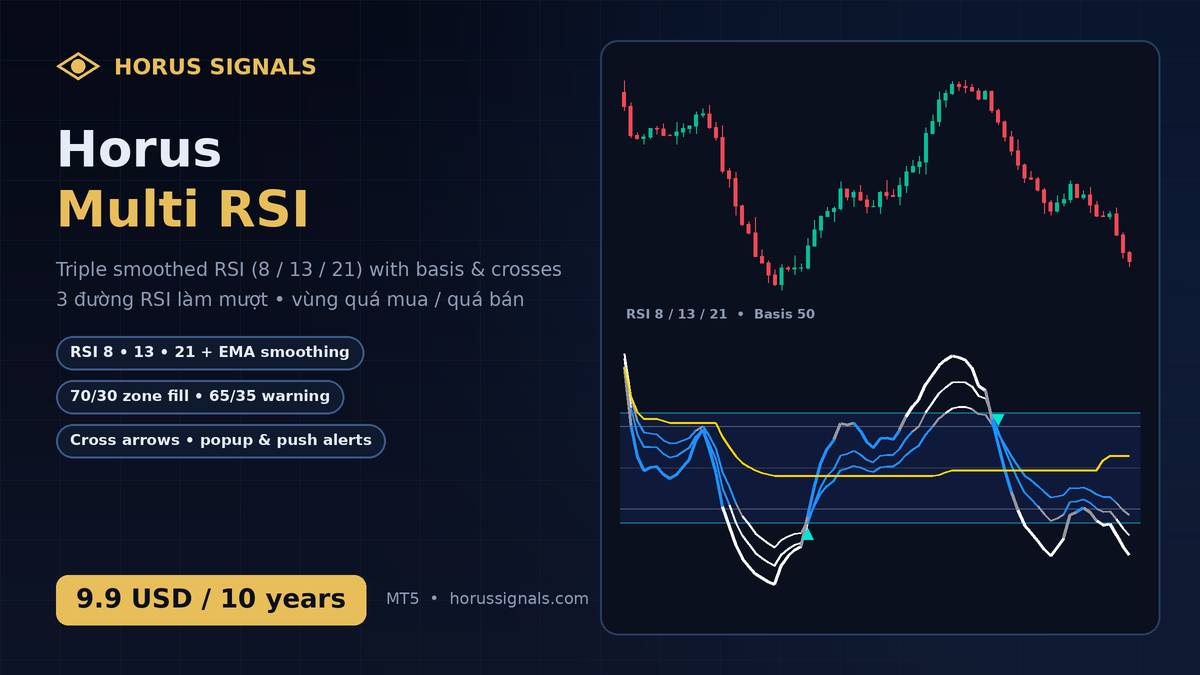
Horus Multi RSI hiển thị các đường động lượng nhanh, trung bình và chậm trong cùng một cửa sổ để dễ đối chiếu bối cảnh.
Tính năng
- RSI làm mượt: các đường nhanh, trung bình và chậm; thông số có thể chỉnh trong Inputs.
- Tô màu theo vùng: trắng khi vượt 70 / dưới 30, xám ở vùng cảnh báo 65–70 / 30–35, xanh ở vùng bình thường.
- Basis thích ứng: đường tham chiếu giúp quan sát động lượng trong bối cảnh hiện tại.
- Mũi tên giao cắt khi RSI nhanh cắt RSI chậm (lên / xuống).
- Cảnh báo popup và thông báo điện thoại trên nến đã đóng – không vẽ lại.
- Toàn bộ thông số, màu sắc tuỳ chỉnh được.
Bản quyền
Giá 9.9 USD cho 10 năm sử dụng. Bản MQL5 Market và cTrader sắp phát hành.
Kích hoạt
- Tải file trong Tài khoản → License & phần mềm của tôi, chép file
.ex5vàoMQL5/Experts. - MT5 → Tools → Options → Expert Advisors: bật Allow WebRequest cho
https://horussignals.comvà Allow DLL imports. - Kéo EA vào chart. Tài khoản MT5 mở qua liên kết đối tác của horussignals.com (Exness, Vantage, XM) được dùng miễn phí; bản mua: dán HorusKey trong Tài khoản vào ô HorusKey.
Công cụ phân tích, không tự đặt lệnh. Không phải lời khuyên đầu tư. Giao dịch có rủi ro mất vốn.
HORUS SIGNALS / SHOP
Sản phẩm liên quanRelated products




Horus Multi RSI
Horus Multi RSI displays fast, medium and slow momentum lines in one window for a clearer comparison of market context.
Features
- Smoothed RSI lines: fast, medium and slow lines with parameters adjustable in Inputs.
- Zone colouring: white beyond 70 / below 30, grey in the 65–70 / 30–35 warning zones, blue otherwise.
- Adaptive basis: a reference line for interpreting momentum in the current context.
- Cross arrows when the fast RSI crosses the slow RSI (up / down).
- Alerts: popup and mobile push on closed bars – no repaint.
- All lengths, levels and colours are adjustable.
License
9.9 USD for 10 years of use. MQL5 Market and cTrader editions are coming soon.
Activation
- Download the file in My Account → My licenses & software and copy the
.ex5intoMQL5/Experts. - MT5 → Tools → Options → Expert Advisors: enable Allow WebRequest for
https://horussignals.comand Allow DLL imports. - Drag the EA onto a chart. MT5 accounts opened through horussignals.com partner links (Exness, Vantage, XM) use it free; purchased edition: paste the HorusKey from My Account into the HorusKey input.
Analysis tool only — it never places orders. Not investment advice. Trading involves risk of loss.
HORUS SIGNALS / SHOP
Sản phẩm liên quanRelated products